A Day in the Life: How HR Teams Use OpenHRApp to Save 10+ Hours Per Week
Let's follow Priya, an HR manager at a 45-person technology company, through a typical workday. Priya's company switched to OpenHRApp six months ago after struggling with spreadsheets and email-based leave approvals. Here is how automation has transformed her daily workflow.
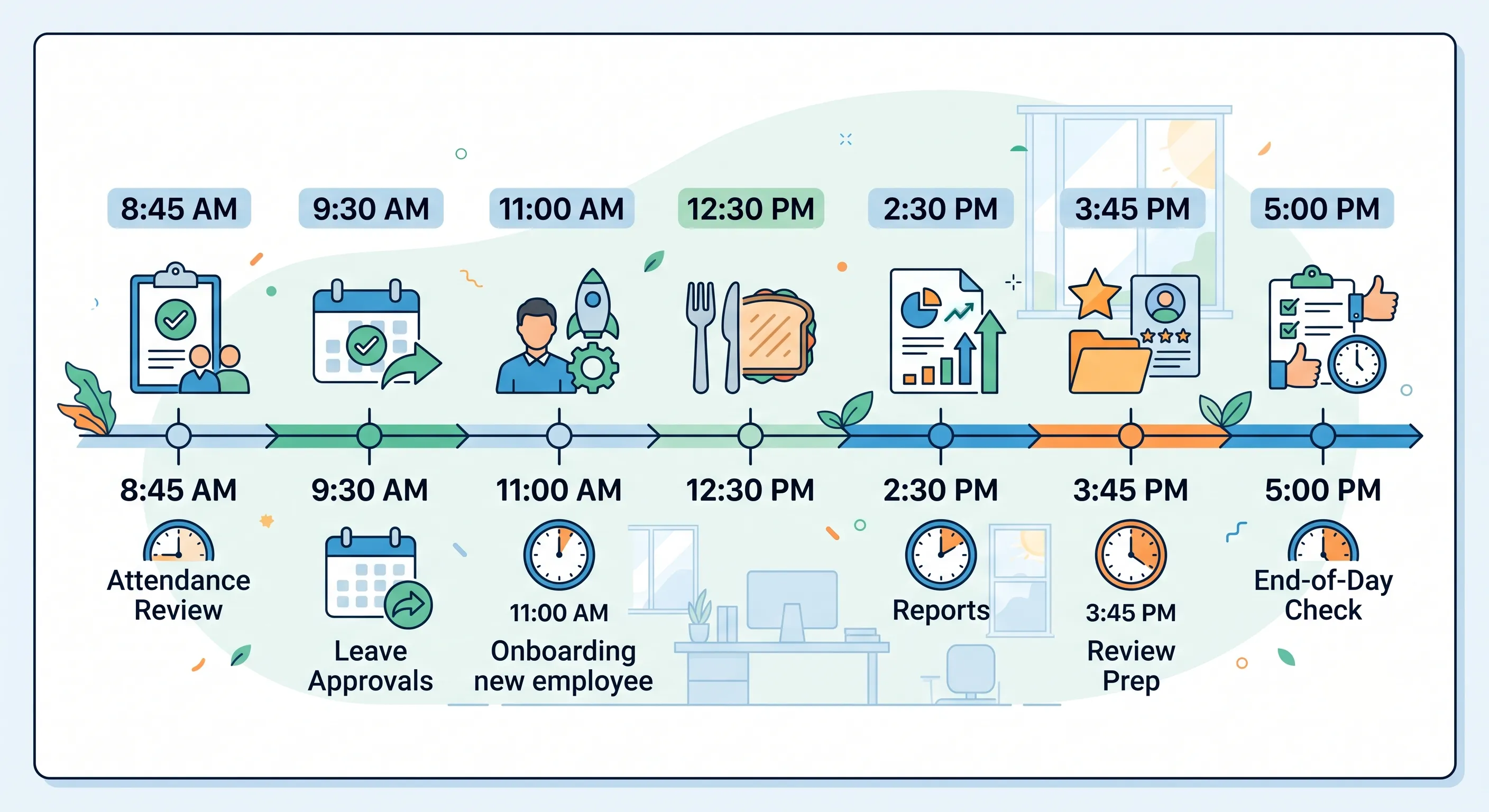
8:45 AM — Morning Check-In Review
Priya arrives at the office, opens OpenHRApp on her laptop, and glances at the dashboard. The real-time attendance summary shows:
- 42 of 45 employees have checked in.
- 1 employee is marked late (checked in 18 minutes after shift start).
- 2 employees are on approved leave today.
- 1 employee has not checked in yet and is not on leave.
She sends a quick message to the employee who has not checked in: "Hey, noticed you haven't checked in yet — everything OK?" The employee responds that they forgot to check in after arriving. Priya reminds them to check in, and the issue is resolved before 9 AM.
Time saved vs. spreadsheets: 15–20 minutes. Previously, Priya would manually cross-reference a spreadsheet of who was supposed to be present, emails about who called in sick, and Slack messages about who was running late.
9:30 AM — Leave Request Approvals
Priya checks the pending leave requests. Two requests came in overnight:
An employee requesting 3 days of annual leave in two weeks. Priya opens the team calendar view, sees that no one else on the team is off that week, and approves with one click. The employee gets an instant email notification.
An employee requesting 1 day of sick leave for today. The employee's sick leave balance shows 3 remaining days. Priya approves, and the attendance system automatically marks the employee as on approved sick leave — no absence will be recorded.
Time saved vs. email-based process: 10–15 minutes. Previously, leave requests came by email, required Priya to manually check a separate spreadsheet for leave balances, and then manually update both the approval spreadsheet and the attendance tracker.
10:30 AM — New Hire Onboarding
A new developer starts today. Priya adds them to OpenHRApp:
- Full name, email, designation (Junior Developer), department (Engineering).
- Assigns the Engineering Manager as their line manager.
- Assigns them to the Engineering team and the standard office shift.
- Their annual leave balance is automatically calculated based on the organization's policy (20 days, pro-rated for the remaining months in the year).
The new hire receives an email invitation to set their password and log in. Priya then posts an announcement visible to all employees: "Please join us in welcoming our new Junior Developer to the Engineering team!"
Time saved vs. manual process: 10 minutes. Previously, Priya would update three separate documents (employee directory spreadsheet, leave tracker, and payroll sheet) — all of which are now handled automatically by a single system.
12:00 PM — Manager Check-In
The Engineering Manager stops by Priya's desk with a question: "One of my team members has been coming in late consistently. Can you pull their attendance history?"
Priya opens the Reports page, filters by the employee's name and the last 3 months, and exports the attendance summary as a CSV. The report shows: of 65 working days, the employee was late on 12 days (18% late rate), with an average delay of 25 minutes. Priya shares the report with the manager.
Time saved vs. manual process: 15–20 minutes. Previously, Priya would need to manually compile this from daily attendance spreadsheets and calculate the statistics herself.
2:00 PM — Performance Review Preparation
The company is starting its mid-year review cycle next week. Priya opens the Performance Review module and:
- Creates a new review cycle: "2026 Mid-Year Review," covering January–June 2026.
- Selects the 6 competencies from the organization's framework.
- Sets the self-assessment deadline for the following week and the manager evaluation deadline two weeks after that.
- Activates the cycle.
Within minutes, all 45 employees and their managers receive email notifications that the review cycle has begun, with clear deadlines and instructions.
Time saved vs. manual process: 30–45 minutes. Previously, Priya would create review forms in a word processor, email them to each employee and manager individually, manually track who had completed each stage, and send reminder emails to anyone who was late.
3:30 PM — Leave Policy Update
The company has decided to increase casual leave from 5 days to 7 days per year, effective immediately. Priya goes to Organization > Leaves, edits the Casual Leave type, and changes the default allowance from 5 to 7. The change applies instantly to all employees' remaining balances.
She also adds a note in the leave policy description explaining the change, which is visible to all employees when they view their leave balances.
Time saved vs. manual process: 15–20 minutes. Previously, Priya would need to update each employee's leave balance individually in the spreadsheet and send an email announcement.
4:45 PM — End-of-Day Review
Before leaving, Priya checks the attendance dashboard one more time:
- 40 employees have checked out.
- 3 employees are still working (it is before the end of their shift).
- 2 employees forgot to check out yesterday — the system auto-closed their sessions at 10 PM and appended a note. Priya makes a mental note to remind those employees to check out properly.
She also checks that all leave requests for the day have been processed (they have) and that the daily attendance report will be automatically generated and emailed to the management team at 11 PM (it will).
Time saved vs. manual process: 10–15 minutes. Previously, Priya would manually compile the day's attendance summary for the management team before leaving.
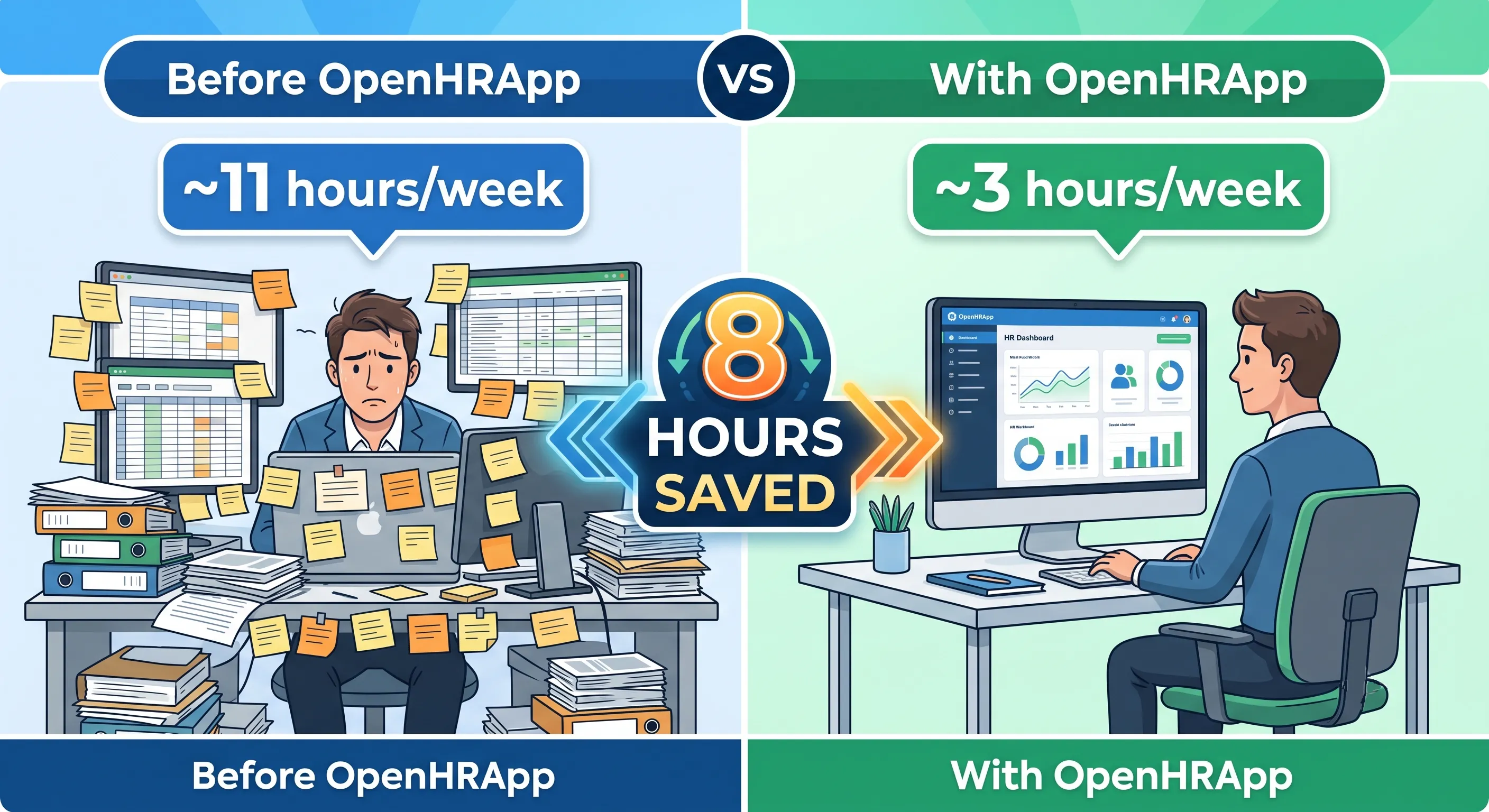
The Weekly Tally
Across a typical workweek, Priya saves approximately 10–12 hours that were previously spent on manual HR administration. That time now goes to higher-value work:
- Strategic workforce planning conversations with department heads.
- Employee engagement initiatives and culture building.
- Improving onboarding and training programs.
- Professional development — Priya recently completed an HR analytics certification.
What Changed with OpenHRApp
| Task | Before OpenHRApp (per week) | With OpenHRApp (per week) | Time Saved |
|---|---|---|---|
| Morning attendance check | 1.5 hours | 30 minutes | 1 hour |
| Leave request processing | 2 hours | 30 minutes | 1.5 hours |
| Reporting and data compilation | 2.5 hours | 30 minutes | 2 hours |
| Performance review administration | 1.5 hours (averaged) | 20 minutes | 1+ hour |
| Employee record updates | 1 hour | 15 minutes | 45 minutes |
| End-of-day summary | 1 hour | 10 minutes | 50 minutes |
| Policy updates and communication | 1.5 hours | 30 minutes | 1 hour |
| Total | ~11 hours | ~3 hours | ~8 hours |
The time savings are significant, but the real transformation is qualitative: no more errors from manual data entry, no more "I forgot to update the spreadsheet," no more "which version of the leave tracker is current?" The system handles the administrative overhead, and Priya handles the work that actually requires human judgment.
Conclusion
HR automation is not about replacing HR professionals — it is about freeing them from the administrative burden that consumes their time and prevents them from doing strategic, high-impact work. Whether it is attendance tracking that runs itself, leave balances that calculate automatically, or performance reviews with built-in reminders and deadlines, the right HR platform gives you back hours every week.
Further Reading
- Getting Started with OpenHRApp: A Step-by-Step Setup Guide — Set up your organization from scratch in under an hour.
- How Selfie-Based Attendance Works in OpenHRApp — A deep dive into the attendance system Priya relies on every morning.
- Managing Employee Leave with OpenHRApp — How leave applications, approvals, and balance tracking work.
- A Guide to OpenHRApp's Performance Review Module — Set up and run review cycles like Priya did.
- OpenHRApp Reports and Analytics — Generate the reports that save hours of manual compilation.
OpenHRApp automates the administrative side of HR so you can focus on what matters: your people. Completely free. Start saving time today.