The Ultimate "No-Install" HRMS: High-Precision Attendance Without the App Store Headache
Ditch the bulky downloads and expensive licenses. OpenHRApp uses modern PWA (Progressive Web App) technology to provide a high-precision, "no-install" attendance system. From geofencing with GPS coordinates to biometric selfie verification, we've built a tool that ensures accountability for teams in the office or the field. Whether you host it yourself via GitHub or use our managed service at OpenHRApp.com, get enterprise-level leave workflows and daily reporting for free.
The HR App That Lives in Your Browser (No Download Required)
Forget the app store. No storage warnings, no forced updates, no IT tickets. OpenHRApp runs directly in your mobile browser — with GPS attendance tracking, selfie verification, and leave management built in. Free to self-host, or use the managed version at OpenHRApp.com.
Why "No Install" Actually Matters
Most HR apps ask a lot from employees before they've even clocked in. Download this, allow that, update before you can log in. On a Monday morning, that friction adds up fast.
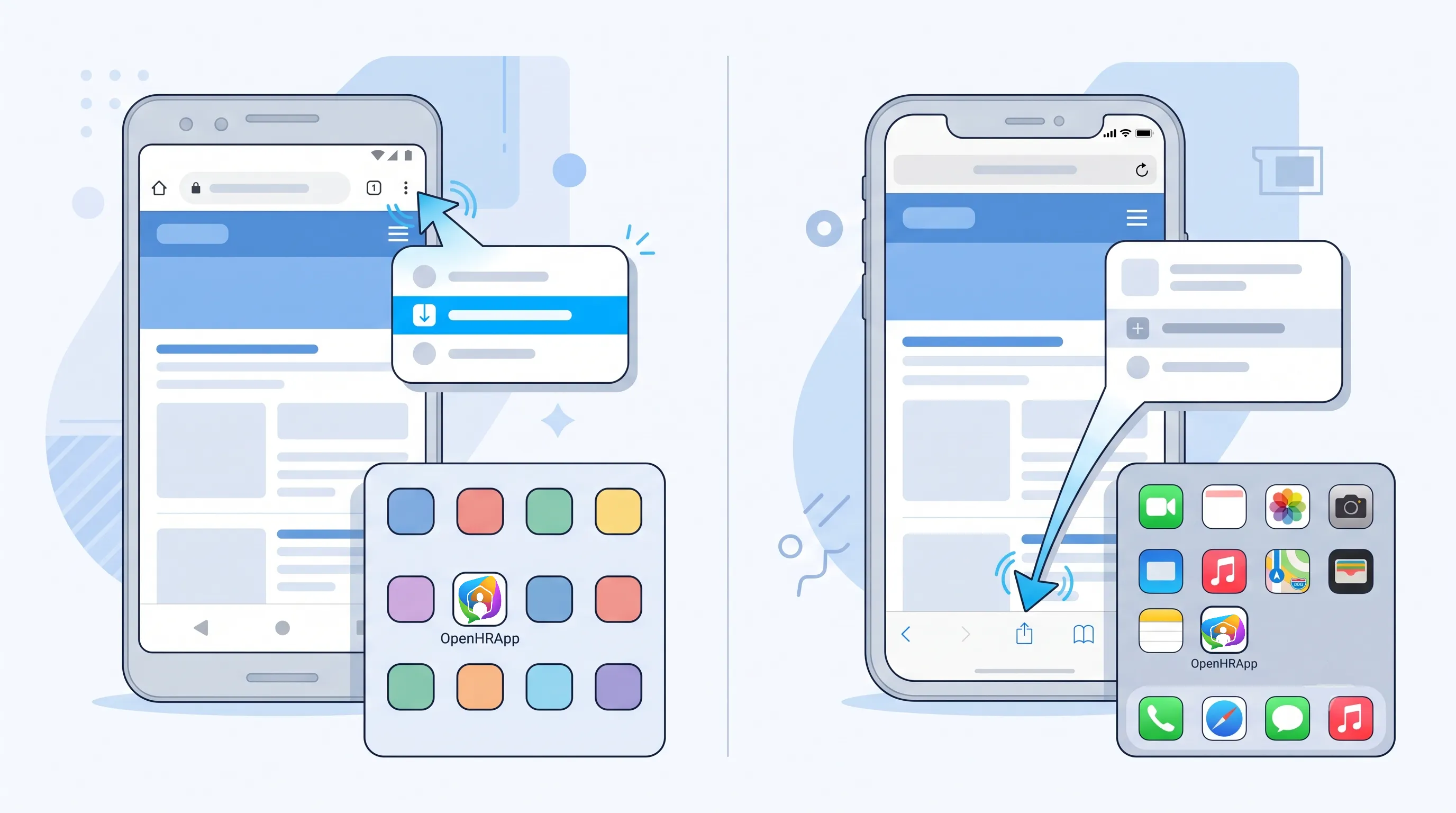
OpenHRApp works as a Progressive Web App (PWA). Employees open a URL, save it to their home screen, and it behaves like a native app — without touching the App Store or Play Store. No storage issues, no version mismatches, no complaints from the team.
And every time they open it, they're already on the latest version. That's just how PWAs work.
What the Attendance System Actually Tracks
This is where it gets practical. Logging "present" is easy. Knowing someone is actually on-site is a different problem.
GPS Coordinates at Check-In
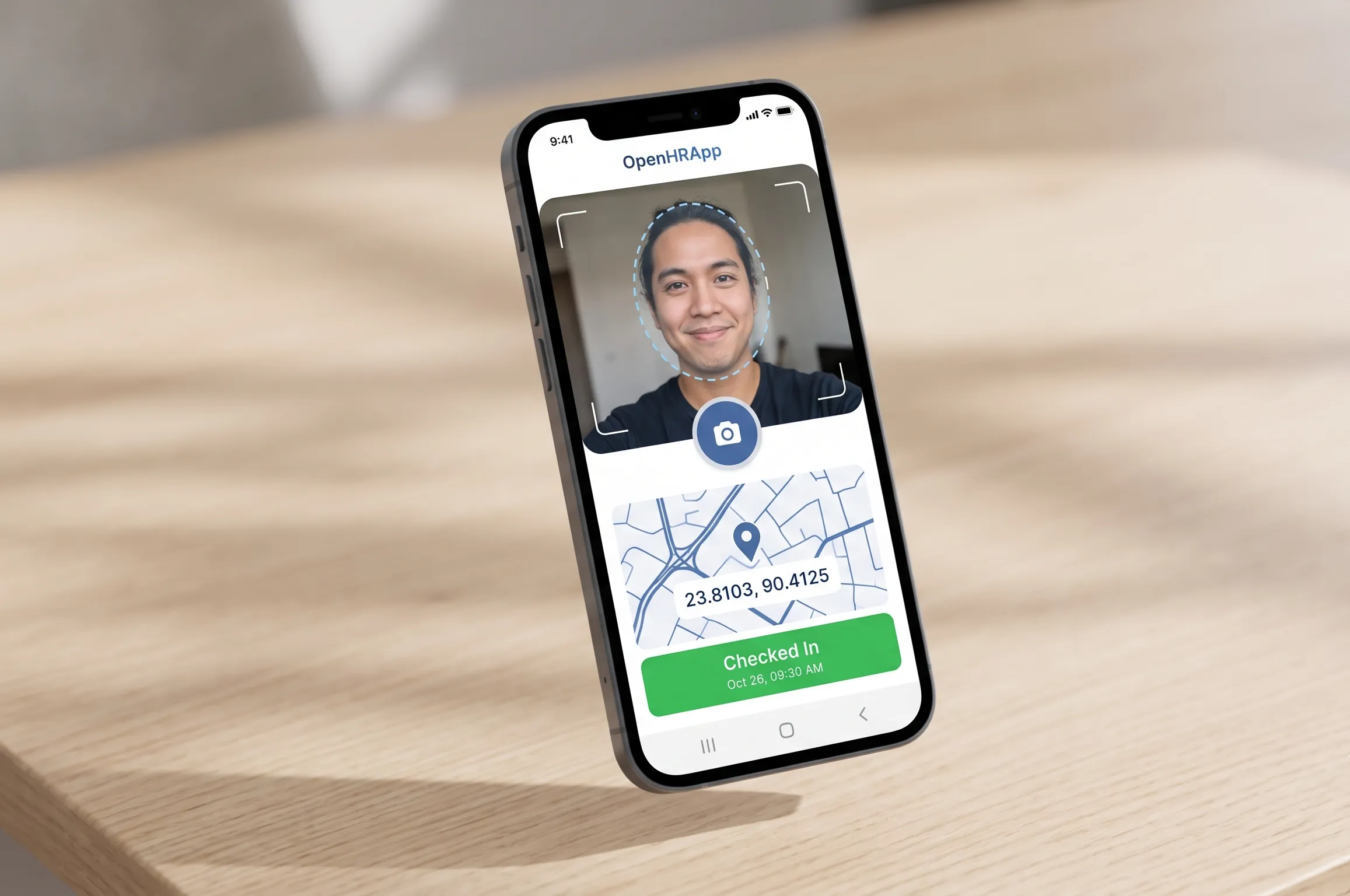
The app captures exact latitude and longitude the moment an employee checks in. Not a general area — a precise location. Geofencing rules can flag anyone who checks in outside the designated zone.
Selfie Verification
Employees take a quick photo at check-in. It's a lightweight way to prevent buddy punching without biometric hardware or complicated setup. The selfie-based verification ties a face to every punch — no fingerprint scanners, no face recognition servers, just a phone camera.
Daily Attendance Reports
Managers get automated reports showing who's on-site, who's late, and who's working remotely. No manual follow-up needed. The reports and analytics dashboard gives you exports in CSV and branded PDF.
Leave Management That Doesn't Live in Email
Team-wise leave workflows let department heads manage their own staff's time off directly in the app. Managers can see who's available on any given day, which makes planning around absences actually manageable.
No more digging through email threads to figure out if two people from the same team are both off on Friday.
Two Ways to Get Started
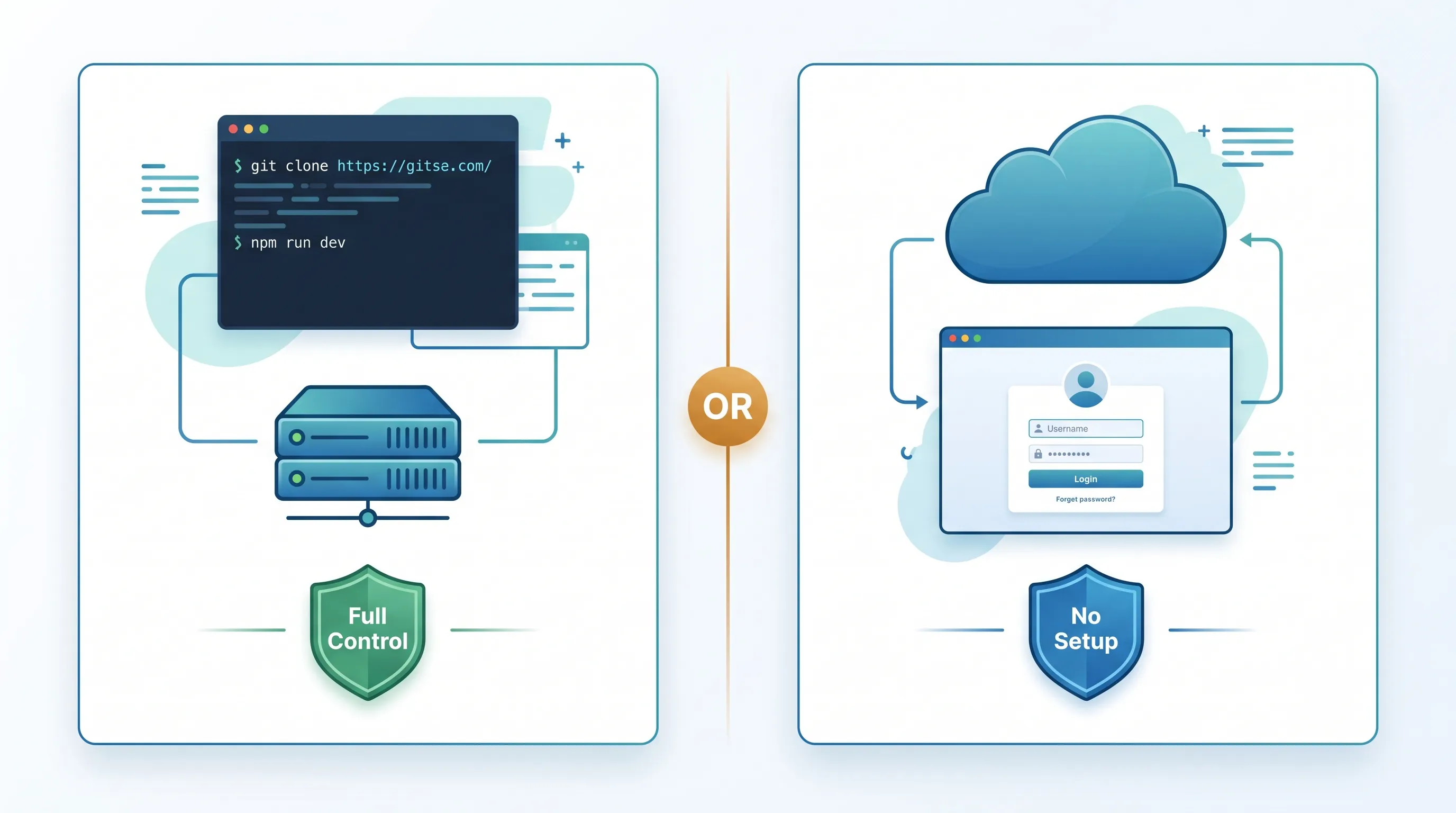
Self-Hosted (Open Source) — Pull the code from GitHub, deploy it on your own server, and own your data completely. If you're comfortable with that setup, it's fully free and fully yours.
Managed (OpenHRApp.com) — We handle hosting, security, and backups. You log in and use it. Good option if you want the features without the infrastructure work.
For a step-by-step walkthrough, check out the Getting Started with OpenHR guide.
Pricing That Doesn't Assume You're Already Funded
- 14-Day Trial — Full access to all features, no credit card required. Just sign up and explore.
- Extended Trials — Need longer to evaluate? Request a 30 to 90-day extension. We'd rather you make a confident decision than a rushed one.
- Lifetime Access (One-Time Donation) — If the app works for you long-term, a small one-time donation keeps your access permanent and helps fund ongoing development.
- Ad-Supported Free Plan — Prefer to pay nothing at all? The ad-supported version is completely free. Ads cover server costs, nothing more.
For a detailed breakdown of all costs and options, see our OpenHRApp vs Commercial HRMS comparison.
Who This Is For
If you're a developer, the GitHub repo is open and built with React, TypeScript, and Supabase — so customizing it for your own needs is straightforward.
If you're a business owner, you get GPS attendance tracking, selfie verification, and leave management without paying per-seat enterprise pricing or dealing with app deployment.
It's a practical tool built to stay out of your way.
Frequently Asked Questions
Q: What is a PWA and do I need to install anything?
A: A Progressive Web App (PWA) runs in your browser and can be saved to your phone's home screen. No app store download, no storage drain, and it updates automatically. On Android, use Chrome's "Install App" option. On iPhone, use Safari's "Add to Home Screen."
Q: Does GPS tracking work if employees are indoors?
A: Yes. Modern smartphones use a combination of GPS, Wi-Fi positioning, and cell tower triangulation. Indoor accuracy is typically within 10-30 meters — more than enough for geofencing. If GPS is unavailable, the app falls back to the best available location data.
Q: Can I use OpenHRApp for field teams and remote workers?
A: Absolutely. The app supports two duty modes: Office mode for standard 9-to-5 setups and Field mode for employees at job sites, construction zones, or satellite offices. Field mode prompts workers to add site remarks so managers know exactly where each person is working.
Q: Is my data secure if I self-host?
A: Your data lives entirely in your own Supabase project — employee selfies, GPS logs, personal info, everything. Supabase provides encryption at rest, audit logging, and configurable backup policies. No third party can access your data.
Q: What happens after the 14-day trial?
A: You have three options: continue free with ads, make a one-time donation for ad-free lifetime access, or request a trial extension if you need more evaluation time. There's no automatic billing and no credit card is ever required.
Start your free trial at OpenHRApp.com or View the source code on GitHub.
OpenHR is open source under the MIT License. For more on how we compare to commercial alternatives, read our OpenHRApp vs Commercial HRMS comparison.