Comparing OpenHRApp vs Commercial HRMS: An Honest Look
If you are evaluating HR software, you have probably noticed the enormous range of options — from free open-source platforms to enterprise systems costing tens of thousands of dollars per year. This article provides a transparent comparison between OpenHRApp and typical commercial HRMS platforms to help you make an informed decision.
We will be honest about where OpenHRApp excels and where commercial alternatives may be a better fit. Our goal is not to convince you that OpenHRApp is the right choice for everyone — it is to give you the information you need to decide what is right for your organization.
Feature Comparison
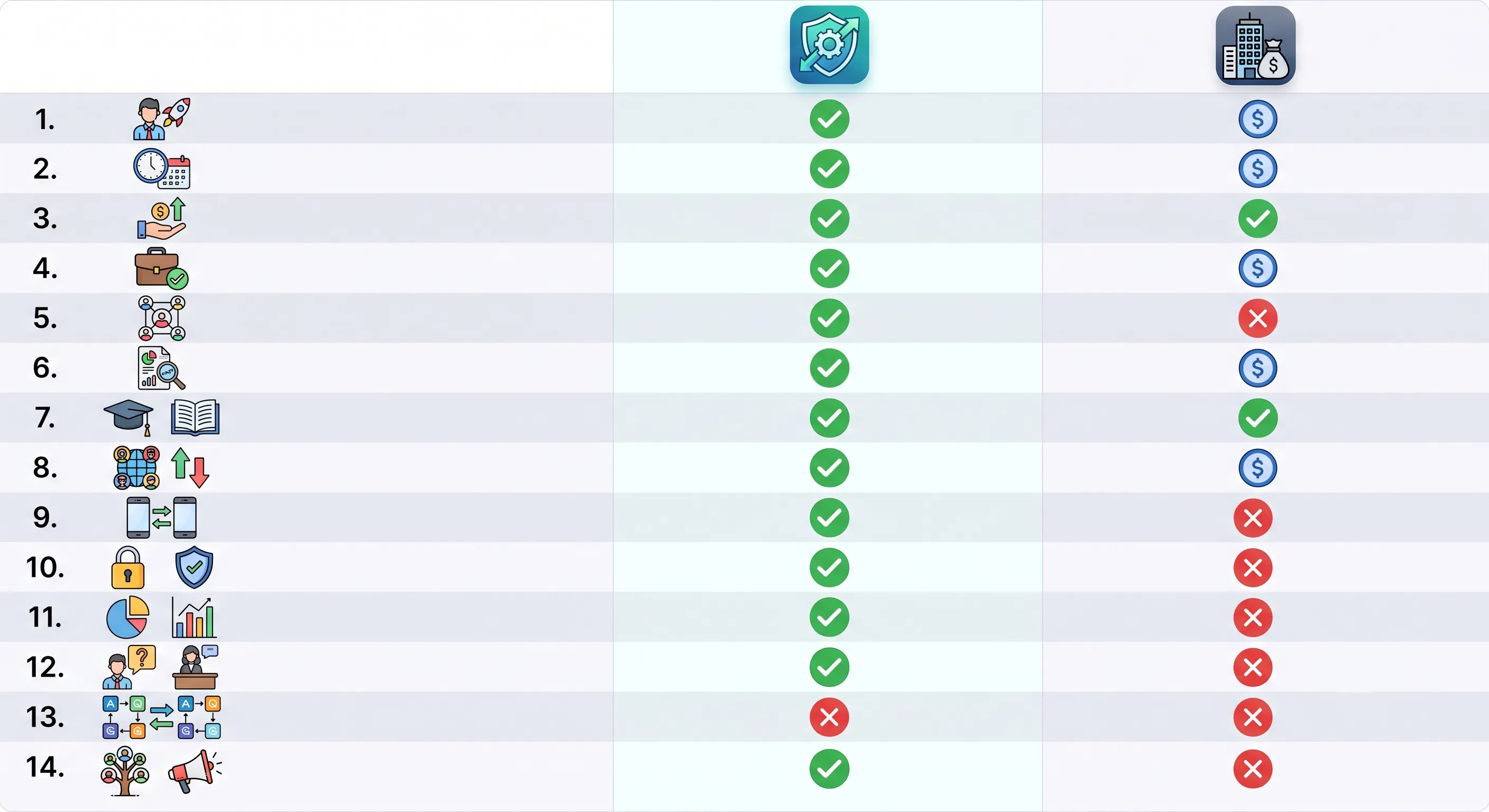
| Feature | OpenHRApp | Typical Commercial HRMS |
|---|---|---|
| Attendance tracking | Selfie + GPS verification | Varies — some use biometrics, some use manual entry |
| Leave management | Full lifecycle with custom types and workflows | Full lifecycle, often with more complex rule engines |
| Employee directory | Complete profiles with role-based access | Complete profiles, sometimes with org chart visualization |
| Performance reviews | Multi-stage with custom competencies | Multi-stage, often with 360-degree feedback |
| Reports and analytics | Attendance, leave, and workforce summaries with CSV export | Advanced analytics with custom report builders |
| Shift management | Configurable shifts with overrides | Configurable shifts, often with scheduling optimization |
| Mobile support | PWA (works on any device, installable) | Native iOS/Android apps (often limited features) |
| Customization | Full source code access, self-hosting option | Configuration options only, no code access |
| Multi-language | English (more languages planned) | Often 10+ languages |
| API access | Via PocketBase SDK (self-hosted) | REST APIs, often with usage limits |
| Payroll integration | CSV export for payroll import | Direct integrations with major payroll providers |
| SSO / SAML | Not yet available | Standard in enterprise tiers |
| SLA / Support | Community support + GitHub issues | Phone/email support with guaranteed response times |
Total Cost Analysis
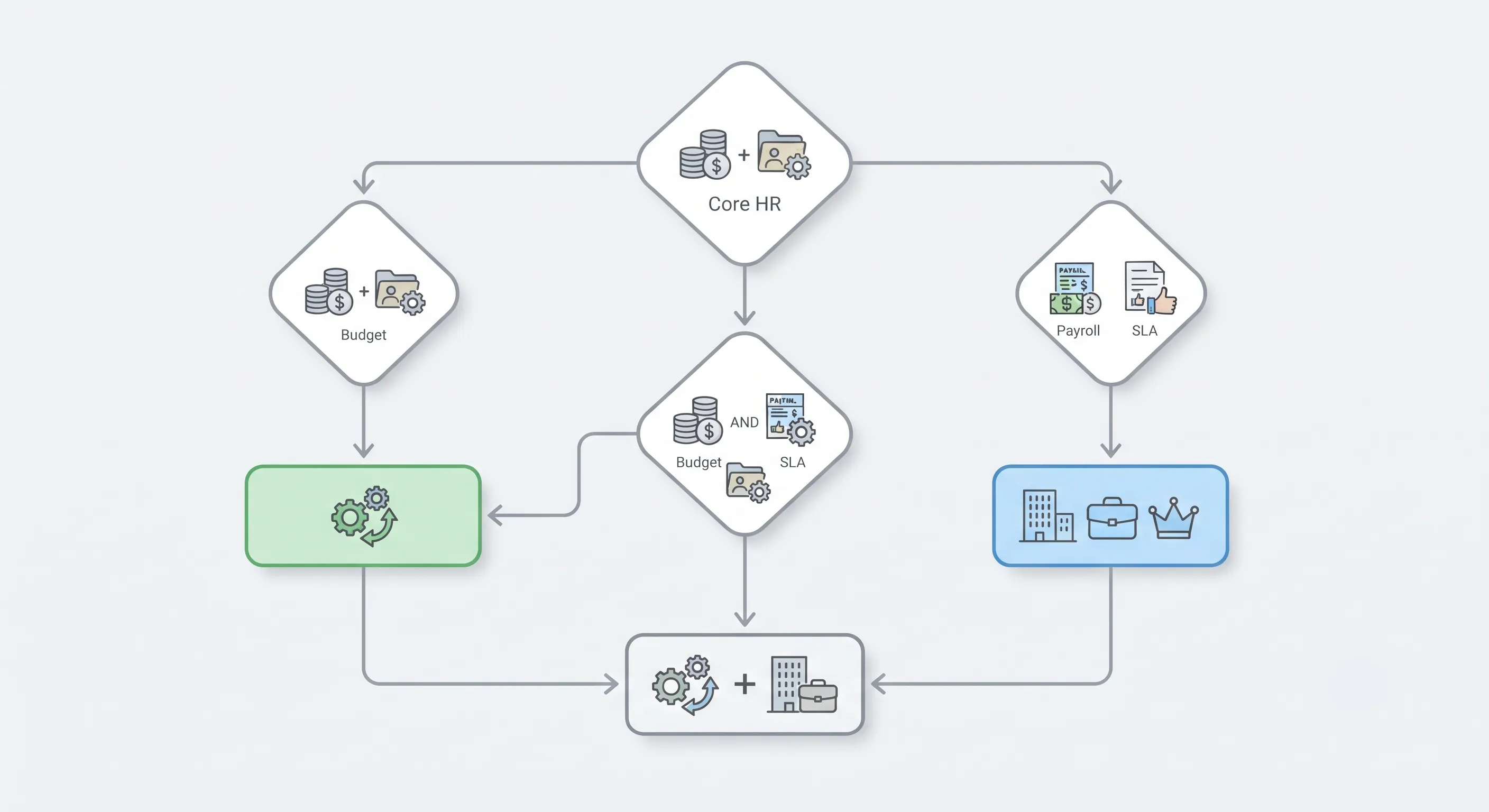
Let's compare the total cost of ownership for a 50-employee organization over 3 years:
OpenHRApp (Free Cloud Tier)
| Item | Year 1 | Year 2 | Year 3 | 3-Year Total |
|---|---|---|---|---|
| Software license | $0 | $0 | $0 | $0 |
| Per-user fees | $0 | $0 | $0 | $0 |
| Implementation | $0 (self-service) | $0 | $0 | $0 |
| Training | $0 (documentation + tutorials) | $0 | $0 | $0 |
| Total | $0 | $0 | $0 | $0 |
Typical Mid-Range Commercial HRMS ($8/user/month)
| Item | Year 1 | Year 2 | Year 3 | 3-Year Total |
|---|---|---|---|---|
| Software license (50 × $8 × 12) | $4,800 | $4,800 | $4,800 | $14,400 |
| Implementation fee | $2,500 | $0 | $0 | $2,500 |
| Training | $1,000 | $500 | $500 | $2,000 |
| Total | $8,300 | $5,300 | $5,300 | $18,900 |
Enterprise HRMS ($15/user/month)
| Item | Year 1 | Year 2 | Year 3 | 3-Year Total |
|---|---|---|---|---|
| Software license (50 × $15 × 12) | $9,000 | $9,000 | $9,000 | $27,000 |
| Implementation fee | $10,000 | $0 | $0 | $10,000 |
| Training + change management | $5,000 | $2,000 | $2,000 | $9,000 |
| Total | $24,000 | $11,000 | $11,000 | $46,000 |
For a 50-person company, the savings with OpenHRApp range from $18,900 to $46,000 over three years — money that can fund an additional employee, invest in other tools, or simply improve the bottom line.
And these numbers scale linearly: a 100-person company saves $37,800–$92,000 over three years.
When OpenHRApp Is the Right Choice
OpenHRApp is an excellent fit when:
Budget is a primary concern. If you are a startup, small business, or non-profit that cannot justify $5,000–$25,000+ per year for HR software, OpenHRApp gives you enterprise-grade features at zero cost.
You want to avoid vendor lock-in. Your data is yours, exportable at any time in standard formats. If you outgrow OpenHRApp, you can migrate to another system without a costly data extraction process.
You value transparency. The code is public. You can inspect it for security, customize it to your needs, or have a developer extend it. No black boxes.
You have a distributed or mobile workforce. The PWA architecture means OpenHRApp works on any device — phones, tablets, laptops — without installing anything. Selfie + GPS attendance works for remote teams, field workers, and multi-location organizations.
You need core HR functionality without complexity. If your needs are attendance tracking, leave management, employee directory, basic reporting, and performance reviews, OpenHRApp covers them all — without the overwhelming complexity of enterprise platforms.
When a Commercial HRMS Might Be Better
We believe in being honest about our limitations. A commercial HRMS may be a better fit when:
You need direct payroll integration. OpenHRApp exports attendance and leave data to CSV for payroll import, but it does not integrate directly with payroll processors like ADP, Gusto, or QuickBooks Payroll. If real-time payroll sync is critical, a commercial platform with native payroll integration may save you time.
You require guaranteed SLAs. OpenHRApp's free cloud tier does not offer an SLA with financial penalties for downtime. For mission-critical HR operations where downtime has significant financial impact, a commercial platform with a contractual SLA may be necessary.
You need 24/7 phone support. OpenHRApp provides community support through GitHub, documentation, and tutorials. If your organization requires immediate phone support with guaranteed response times, commercial platforms offer this (typically in higher pricing tiers).
You operate in a highly regulated industry requiring specific certifications. Some industries (finance, healthcare, government) require vendors to hold specific compliance certifications (SOC 2 Type II, ISO 27001, FedRAMP). OpenHRApp has not yet obtained these certifications.
You need advanced workflow automation. If your HR processes involve complex, multi-step workflows with conditional logic across multiple systems, enterprise platforms like Workday or SAP SuccessFactors offer visual workflow builders that OpenHRApp does not yet match.
The Hybrid Approach
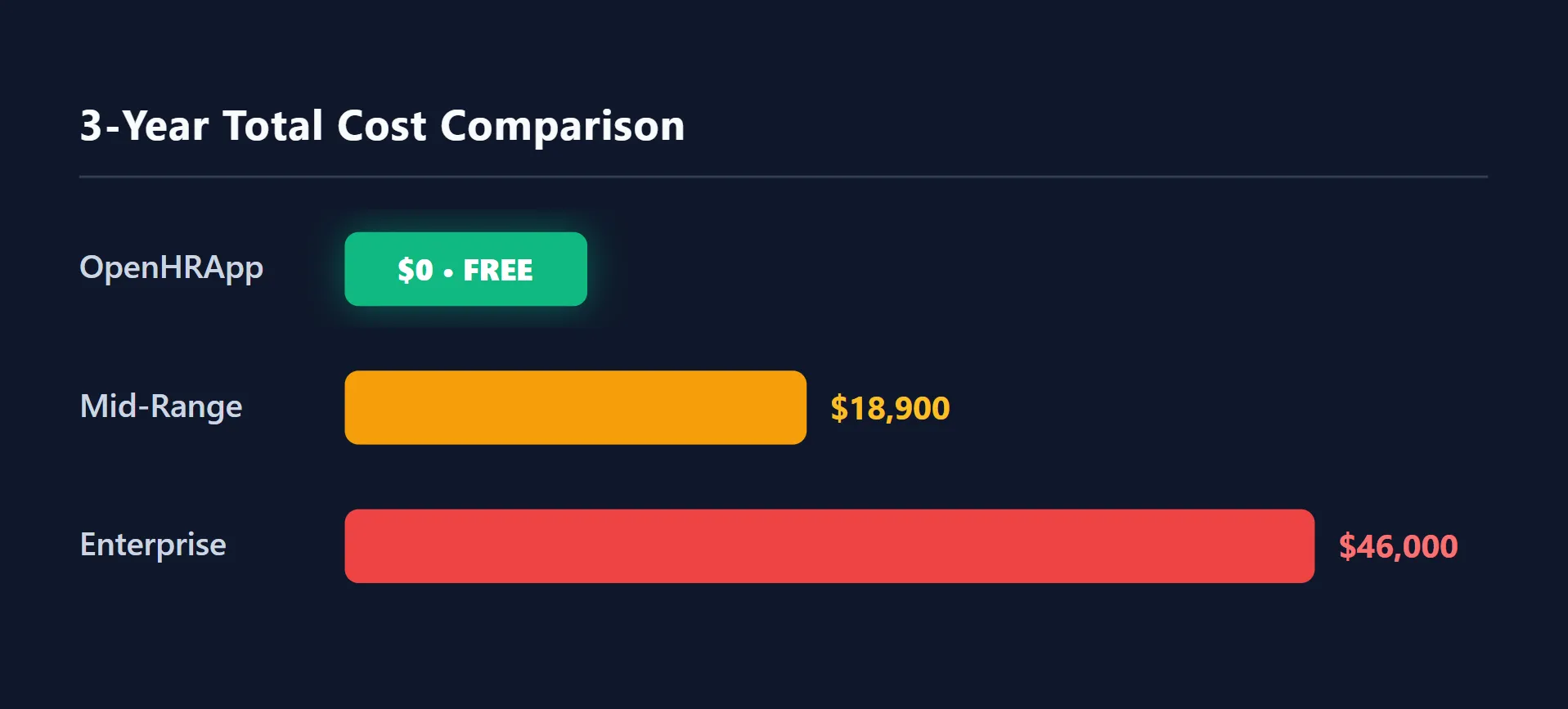
Some organizations take a hybrid approach: use OpenHRApp for core HR operations (attendance, leave, employee records) and a specialized tool for advanced needs (e.g., a dedicated payroll system, an applicant tracking system for recruiting, or a learning management system for training). This gives you the best of both worlds — free core HR infrastructure plus specialized tools where you need them.
OpenHRApp's CSV export makes this hybrid approach practical: export attendance and leave data, import into your payroll system, and you have a complete workflow without paying for HR software you only partially use.
Making the Switch: Migration Considerations
If you are currently using a commercial HRMS and considering switching to OpenHRApp, here is a practical migration approach:
- Export all data from your current system — Employee records, attendance history, leave history, performance reviews. Get everything in CSV or Excel format.
- Set up OpenHRApp — Configure your organization structure, leave policies, shifts, and other settings before importing data.
- Import employee records — Use OpenHRApp's bulk import to add all employees at once.
- Import historical attendance and leave data — This can be done via the admin interface or (for large datasets) via direct database import if you self-host.
- Run both systems in parallel for one pay period — Verify that attendance and leave data matches between the old and new systems before fully switching over.
- Decommission the old system — Export one final backup, then cancel your subscription.
The Bottom Line
For the vast majority of small and medium organizations, OpenHRApp provides all the HR functionality needed — at zero cost. The trade-offs (no direct payroll integration, no contractual SLA, community-based support) are acceptable for most teams, especially given the enormous cost savings.
For larger enterprises with complex requirements, regulated environments, or mission-critical uptime needs, a commercial HRMS may be the right investment. But even then, the cost difference is worth understanding — $46,000 over three years for a 50-person company is real money that could be invested elsewhere.
The best choice depends on your specific needs, budget, and priorities. We hope this honest comparison helps you make the right decision for your organization — whether that is OpenHRApp, a commercial alternative, or a hybrid of both.
Further Reading
- How to Choose the Right HR Management Software for Your Small Business — A practical framework for evaluating HR software, from must-have features to migration checklists.
- The Rise of Open-Source HR Software: Why It's the Future — Why organizations are switching from proprietary solutions and the broader open-source HR movement.
Try OpenHRApp risk-free. It is completely free — no credit card, no time limit, no catch. Get started today.