The Complete Guide to Employee Attendance Tracking
Attendance tracking is one of the most fundamental HR functions — and one of the most commonly mismanaged. Whether you are transitioning from paper timesheets, upgrading from spreadsheets, or evaluating your first automated system, this guide covers everything you need to know about modern attendance tracking.
Why Attendance Tracking Matters
Accurate attendance records are not just about knowing who showed up today. They directly impact:
- Payroll accuracy — Overpaying or underpaying employees due to incorrect attendance data creates trust issues and potential legal exposure.
- Compliance — Labor laws in most jurisdictions require employers to maintain accurate time records. In an audit, your attendance logs are primary evidence.
- Productivity insights — Patterns of late arrivals, early departures, and absenteeism can reveal issues with morale, workload, or management before they escalate.
- Fairness — When attendance is tracked objectively and consistently, everyone is held to the same standard. No favoritism, no "I forgot to write it down."
The Evolution of Attendance Tracking
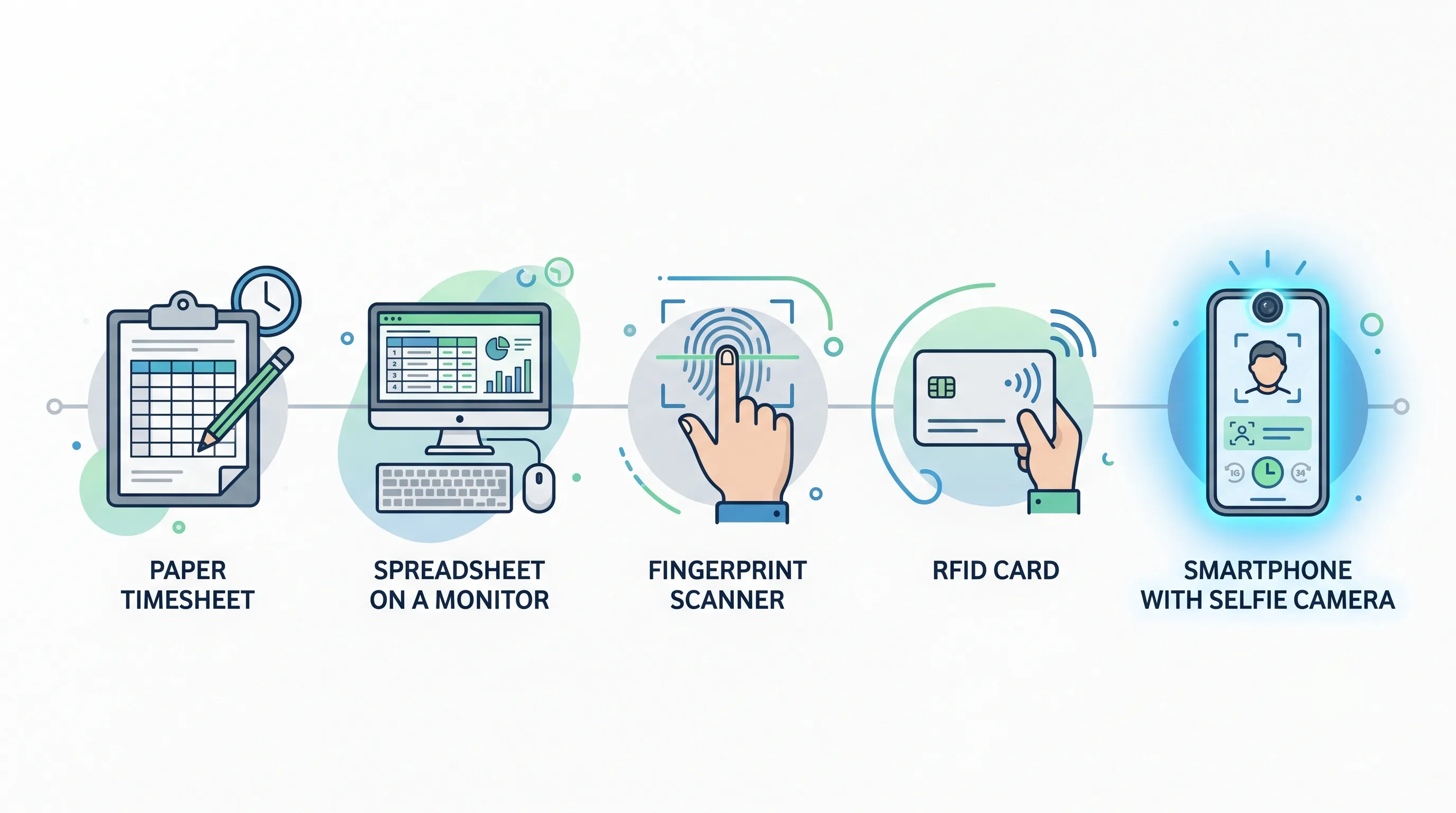
Paper Timesheets and Punch Cards
The oldest approach: employees write their arrival and departure times on a paper form, or punch a physical card into a mechanical clock.
Problems: Easy to lose or damage. Impossible to verify — a colleague can punch in for an absent employee ("buddy punching"). Data must be manually entered into payroll, creating errors. No real-time visibility for managers.
Spreadsheets
Many small businesses graduate to Excel or Google Sheets for attendance tracking.
Problems: Still manual entry, still error-prone, still no verification. Version control chaos — who has the latest copy? No audit trail — cells can be edited without any record of who changed what. No automated alerts for late arrivals or absences.
Biometric Scanners
Fingerprint, palm, or iris scanners add identity verification to the check-in process.
Problems: Expensive hardware ($500–$2,000+ per device). Requires employees to be physically present at the scanner location (useless for remote workers). Hygiene concerns with shared touch surfaces. Hardware maintenance and calibration. Privacy concerns about storing biometric data.
RFID Cards and Fobs
Employees tap a card or fob on a reader to record their attendance.
Problems: Hardware costs (readers at every entry point). Cards can be shared or lost. Still no visual identity verification — a colleague can use someone else's card. Replacement costs for lost cards.
Selfie-Based Digital Check-In (Modern Approach)
Employees use their own smartphone to check in by taking a selfie. The system captures the photo, GPS location, and timestamp — all stored together as a verifiable attendance record.
Advantages:
- No hardware cost — Uses the camera already on every employee's phone.
- Eliminates buddy punching — Each check-in has a face attached.
- Works anywhere — Office, factory, remote, field locations.
- Real-time visibility — Managers see who is present, late, or absent immediately.
- Audit trail — Every check-in is timestamped and stored with photo evidence.
Key Features to Look for in an Attendance System
Whether you choose a standalone attendance tool or a full HR platform, look for these capabilities:
Identity Verification
The system should confirm that the person checking in is who they claim to be. Selfie capture is the most practical method. Avoid systems that rely solely on PINs, passwords, or card taps — these can all be shared.
Location Tracking
GPS coordinates should be captured with each check-in. This verifies that employees are where they are supposed to be — in the office, at a client site, or on a job site. For privacy, location should only be captured at the moment of check-in, not continuously tracked.
Shift and Schedule Support
If your organization runs multiple shifts (morning, evening, night) or flexible hours, your attendance system needs to understand when each employee is expected. A good system calculates lateness and overtime automatically based on each employee's assigned shift.
Real-Time Dashboard
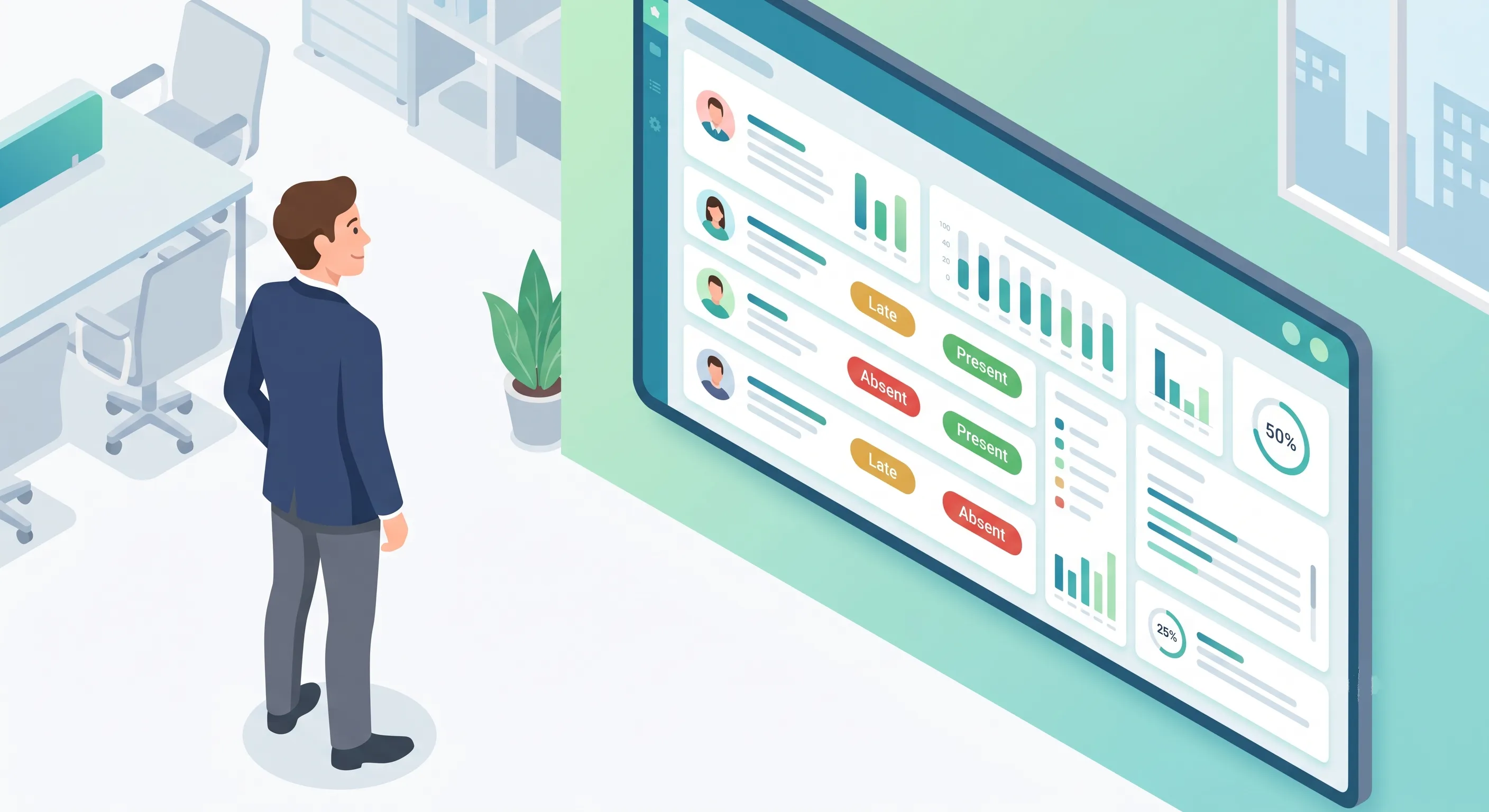
Managers need a live view of who is present, who is absent, who is late, and who has not checked in yet. This enables quick follow-ups — a quick message to an employee who is 15 minutes late is far better than discovering at the end of the month that they missed several days.
Automated Alerts and Notifications
The system should proactively notify relevant people:
- Employee: Reminder to check in if they have not by a certain time.
- Manager: Alert when a team member is late or absent.
- HR/Admin: Daily or weekly attendance summary.
Integration with Leave Management
Attendance and leave should not be separate systems. When an employee is on approved leave, they should not be marked absent. When they return from leave and check in, the system should reflect both records coherently.
Export and Reporting
Attendance data needs to feed into payroll, compliance reporting, and management reviews. One-click CSV export and pre-built summary reports (daily, weekly, monthly, by department) save hours of manual work.
Remote Work and Attendance Tracking
The rise of remote and hybrid work has changed attendance tracking significantly. Traditional methods (physical punch-in, biometric scanners) do not work for remote employees. Even in a remote context, organizations still need to know:
- Is the employee working today?
- When did they start and finish?
- Where are they working from (for compliance and security)?
Selfie + GPS check-in solves all three. The employee takes a quick selfie at their workspace, the system records the time and location, and the manager has the same visibility they would have in an office.
Privacy note: Organizations should be transparent about what is tracked and why. GPS should only be captured at check-in, not throughout the day. The goal is verification, not surveillance.
Handling Common Attendance Scenarios
Late Arrival
Configure a grace period (e.g., 5–15 minutes after shift start). Employees checking in within the grace period are on time. After the grace period, they are marked late. The system should track late arrivals over time so managers can spot patterns.
Early Departure
Similar to late arrivals — configure an early-out grace period before the shift end time. Employees checking out before this threshold are marked as leaving early.
Forgotten Check-Out
Employees sometimes forget to check out at the end of the day. Without a solution, the system would show them as still working. Good attendance systems handle this with:
- Auto session close — The system automatically closes the session at a configured time (e.g., 10 PM) and appends a note that it was auto-closed.
- Next-day reconciliation — When the employee checks in the next day, the system detects the open session and closes it with the auto-close time.
Overtime
If an employee checks out significantly after their scheduled end time, the system should flag this as potential overtime. Managers can review and approve overtime for payroll processing.
Field and Off-Site Work
Employees visiting clients, working at job sites, or attending off-site meetings should check in from their location. The GPS data confirms they were where they were supposed to be.
Making the Switch to Digital Attendance
If you are moving from paper or spreadsheets to a digital system, follow these steps for a smooth transition:
- Set a switch-over date — Pick a specific date when the new system goes live. Run the old system in parallel for a brief period if you want extra assurance.
- Communicate early — Tell employees what is changing, why (emphasize the benefits: easier for them, no more paper forms), and what they need to do.
- Provide clear instructions — A 5-minute walkthrough or one-page guide on how to check in and out using the new system.
- Address privacy concerns upfront — Be transparent about what data is collected (selfie, GPS at check-in only) and who can see it (manager and HR only).
- Configure shifts properly — Make sure every employee is assigned to the correct shift before go-live. Incorrect shift assignments are the #1 cause of incorrect late/absent markings.
- Monitor the first week closely — Check daily that check-ins and check-outs are being recorded correctly. Follow up immediately on any issues.
Conclusion
Attendance tracking does not need to be complicated or expensive. Modern smartphone-based systems eliminate the need for dedicated hardware, provide reliable identity verification, and give managers real-time visibility — all at no cost. The key is choosing a system that is easy for employees to use, provides the verification and reporting you need, and integrates naturally with your other HR processes.
See how OpenHR does it: Our deep dive into selfie-based attendance covers the complete check-in flow, GPS verification, and how photo capture eliminates buddy punching — all without dedicated hardware.
Further Reading
- How Selfie-Based Attendance Works in OpenHRApp — The technical details behind photo + GPS check-in.
- Remote Work and HR: Adapting Your Policies for a Distributed Workforce — How attendance tracking changes when your team is distributed.
OpenHRApp provides selfie-based attendance tracking with GPS verification, shift support, and real-time dashboards — completely free. Start tracking attendance today.