Leave Management Best Practices for Growing Teams
Leave management seems simple when you have five employees and the founder approves requests by text message. But as your team grows to 20, 50, or 100+ people, that informal system breaks down spectacularly. Requests get lost. Balances are calculated incorrectly. Two critical team members take leave the same week, leaving no coverage. And nobody is quite sure how many days anyone has left.
This guide covers leave management best practices designed to scale from small teams to growing organizations.
Start With a Clear Leave Policy
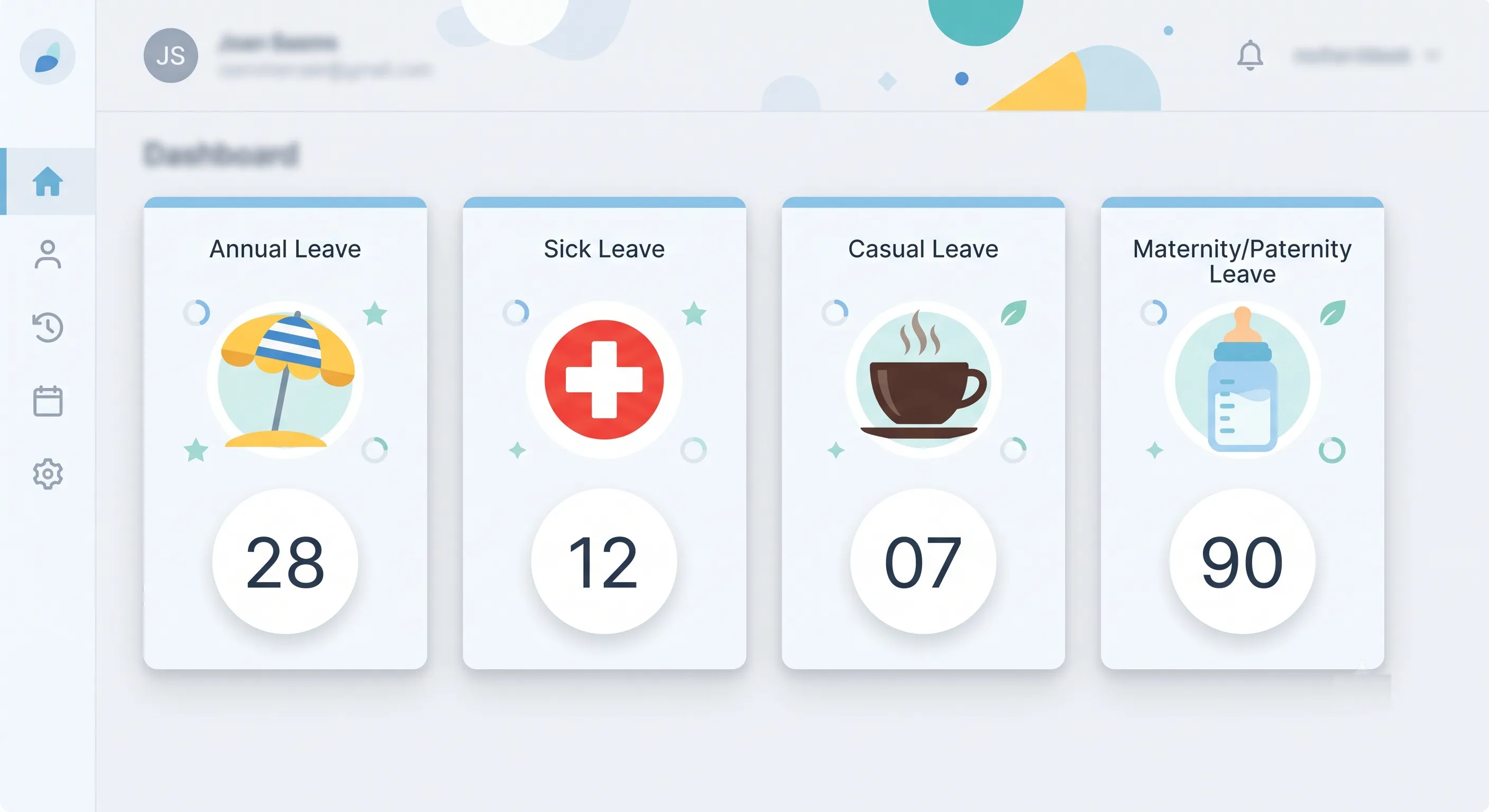
Your leave policy should be written down, communicated to all employees, and consistently applied. At minimum, it should cover:
Leave Types and Allowances
Define each leave type available to employees. Common categories:
- Annual/Privilege Leave — Planned vacation time. Typically 15–30 days per year depending on industry, seniority, and jurisdiction.
- Sick Leave — Unplanned absence due to illness or medical appointments. Typically 7–14 days per year.
- Casual Leave — Short-notice personal days for unforeseen needs. Typically 5–10 days per year.
- Maternity Leave — Governed by local law. Common minimums range from 12 to 26 weeks.
- Paternity Leave — Increasingly common. Typically 1–4 weeks.
- Bereavement/Compassionate Leave — For the death of an immediate family member. Typically 3–7 days.
- Unpaid Leave — Leave beyond the employee's paid allowance. May be used for extended personal needs.
For each type, specify: the annual allowance, whether unused days carry over to the next year (and if so, how many), whether the leave is paid or unpaid, and any eligibility requirements (e.g., probation period completion).
Accrual vs. Lump-Sum Allocation
- Lump-sum: The full annual allowance is available on January 1 (or the employee's anniversary date). Simple to administer but risks employees exhausting their full allowance early in the year.
- Accrual: Employees earn leave days gradually throughout the year (e.g., 1.67 days per month for a 20-day annual allowance). Prevents early exhaustion but adds complexity to balance calculations.
For most growing teams, lump-sum with a probation period (e.g., leave is available after 3 months of employment) provides a good balance of simplicity and risk management.
Carry-Over Rules
Decide what happens to unused leave at the end of the year:
- Use it or lose it: Unused days are forfeited. Simple but can create a year-end rush of leave requests.
- Limited carry-over: A capped number of days (e.g., up to 5) can be carried into the next year. The most common approach.
- Full carry-over: All unused days carry forward. Generous but can result in employees accumulating very large balances that become a financial liability on termination.
- Use it or get paid: Unused days are paid out at year-end. Common in jurisdictions where this is legally required.
Approval Workflow
Define who approves leave at each stage:
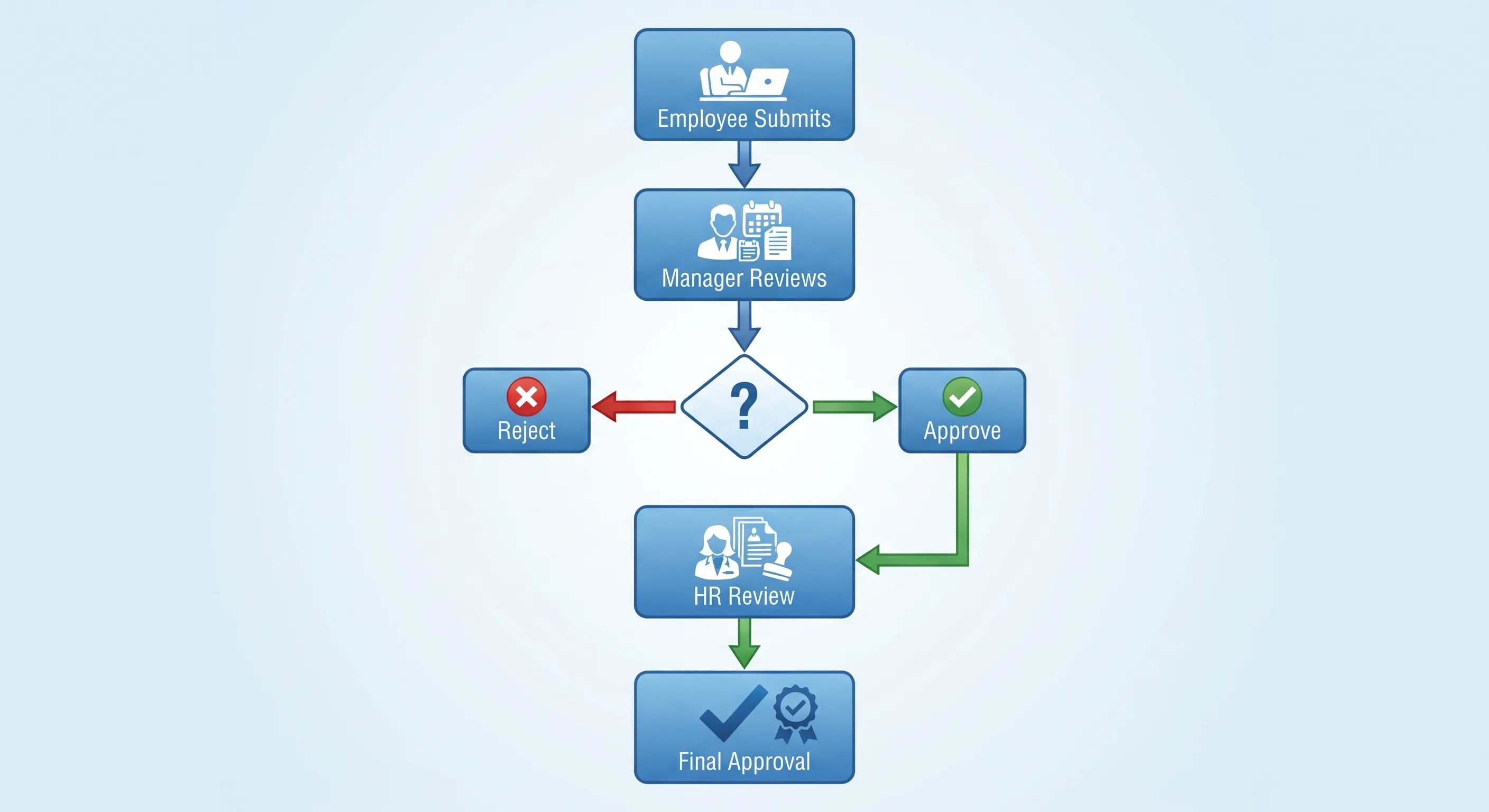
- Employee submits request — Should be a simple form: leave type, dates, optional reason.
- Manager reviews and approves/rejects — Managers should check team availability and workload before approving. They should respond within 1–2 business days.
- HR review (optional) — For certain leave types or extended absences, HR may provide a secondary review for compliance and policy adherence.
- Automatic approval (optional) — For routine short-duration leave, the system can auto-approve if no conflicts are detected.
Team Visibility Without Micromanaging
One of the biggest challenges in growing teams is balancing transparency with privacy. Managers and team members need to know who will be absent and when — but individual leave reasons should remain private.
Team Calendar
A shared team calendar showing approved leave (dates and employee name, but not leave type or reason) helps everyone plan around absences. It also prevents the awkward situation of two critical team members accidentally taking the same week off.
Leave Balance Visibility
Employees should be able to see their own leave balances at any time — remaining days per type, pending requests, and leave history. Managers should see their team's balances to make informed approval decisions. HR should see organization-wide balances for reporting and policy adjustments.
Notification Best Practices
- New request — Notify the approver (manager or HR) immediately.
- Approved/Rejected — Notify the employee immediately with the decision and any remarks.
- Team awareness — Optionally notify team members when a colleague's leave is approved (dates only, no reason), but make this configurable — not every organization wants this level of transparency.
Handling Common Edge Cases
Half-Day Leave
Allow employees to take half-day leave (morning or afternoon) rather than consuming a full day for short appointments. This is widely appreciated and reduces unnecessary full-day absences.
Leave During Notice Period
Decide your policy on leave during an employee's notice period. Some organizations allow it (with remaining balance), others require employees to work through their notice and pay out unused leave. Whatever you decide, apply it consistently.
Leave Cancelation
An employee who returns early or no longer needs approved leave should be able to cancel the request. The system should restore the leave balance and remove the absence from the team calendar.
Leave Overlap with Holidays
If a leave request spans a period that includes a public holiday, the holiday should not be deducted from the employee's leave balance. For example, if an employee takes Monday through Friday off and Thursday is a public holiday, only 4 days should be deducted. A good leave management system handles this automatically.
Negative Balances
When an employee needs leave but has exhausted their balance, managers may approve "negative balance" leave (advance against future accrual). This should require explicit approval and be tracked separately — it is essentially a loan of future leave days.
Scaling Leave Policies Across Departments
As your organization grows, different departments may need different leave policies. A factory floor with shift workers has different needs than a software engineering team with flexible hours. A customer support team that must maintain minimum staffing levels has different constraints than a research team with long project cycles.
A scalable leave system should support:
- Default organization-wide policies — Apply to all employees unless overridden.
- Department-level overrides — Different departments can have different leave types, allowances, or approval workflows.
- Per-employee overrides — Individual exceptions (e.g., a senior executive with a negotiated additional week of annual leave).
- Role-based approval rules — Different roles may have different approvers. A team lead's leave might be approved by the department head, while a team member's leave is approved by the team lead.
Preventing Leave Abuse
While most employees use leave responsibly, a small minority may abuse the system. Warning signs include:
- Consistent Monday/Friday sick leave — Pattern of sick days adjacent to weekends.
- Leave during critical periods — Repeated requests during month-end closing, product launches, or other busy periods.
- Exhausting leave immediately upon accrual — Zero or near-zero balance throughout the year.
The best defense is visibility: managers should be able to see leave patterns for their team members. Address concerns through conversation first — there is often a legitimate reason behind suspicious patterns. Escalate to formal disciplinary action only if the pattern persists after discussion.
Integrating Leave with Attendance and Payroll
Leave management should not operate in isolation. When an employee is on approved leave:
- They should not be marked absent in the attendance system for those days.
- Their leave days should be automatically deducted from the correct balance.
- If leave affects payroll (unpaid leave, leave encashment), the data should flow to payroll processing without manual re-entry.
Integration eliminates the most common source of payroll errors: mismatched data between systems.
Conclusion
Effective leave management is about designing policies that are clear, fair, and easy to administer — then using technology to enforce them consistently. Start with a well-documented policy. Configure your HR system to handle accruals, approvals, and balance calculations automatically. Give employees self-service access to their balances and leave history. And review your policies annually — what worked for 10 employees may need adjustment at 50.
See it in practice: Our guide to managing leave with OpenHRApp covers the complete leave lifecycle — employee applications, manager approvals, HR policy configuration, and team calendar visibility.
Further Reading
- Managing Employee Leave with OpenHRApp — A practical walkthrough of leave applications, approvals, and policy configuration in OpenHRApp.
OpenHRApp provides a complete leave management system with custom leave types, automatic balance tracking, configurable workflows, and team calendars — all free. Start managing leave effectively.